Cutters

Make videos, add a banner, and get paid weekly

No approvals
Real payments
No investment required
No approvals
Real payments
No investment required
No approvals
Real payments
No investment required
No approvals
Real payments
No investment required

How It Works

It's simple - just your videos and real views
Step 1
Register and log in
to your account
Step 2
Select a banner from the catalog
Step 3
Insert a banner
into a short video (Shorts, Reels, TikTok)
Step 4
Send a link
and receive payments every week

Benefits for cutters
Weekly
payments
A stable schedule for real views
Transparent
analytics
Track your income and views
Affiliate program
Receive a percentage of your invitees' income and bonuses for network development.
School
of Cutters
Short tutorial videos, tips, templates, instructions
Banner
catalog
Choose what to include in your videos
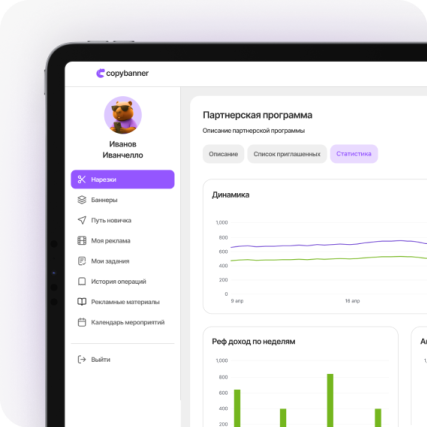
Capybara statuses
Growing from Kapibalysh to Kapiboss

Anyone can become a cutter

All you need is a phone and a desire

It doesn't matter where you live, how old you are, or whether you have a blog. CopyBanner is an opportunity for everyone to make money from short videos.

Phone
Clip anywhere

A couple of minutes a day
You don't have to be a blogger
Any topic - as long as there are no violations
From any country
No investment required - free registration

Video Examples

300 000
views
+ 1 050 ₽
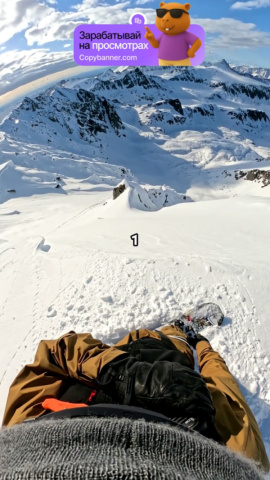
450 000
views
+ 1 600 ₽
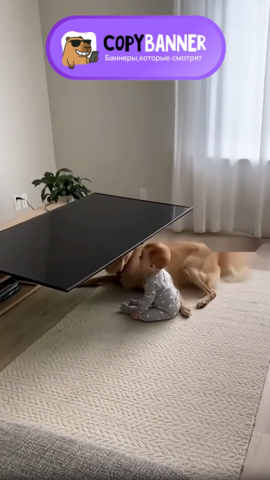
600 000
views
+ 2 100 ₽

850 000
views
+ 3 000 ₽

1 200 000
views
+ 4 200 ₽

1 800 000
views
+ 6 300 ₽
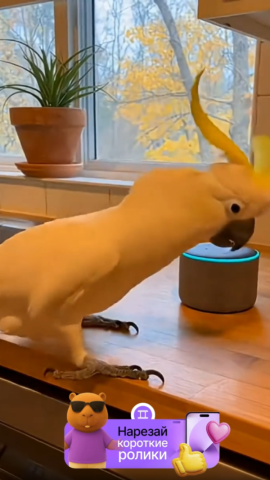
2 400 000
views
+ 8 400 ₽

3 000 000
views
+ 10 500 ₽

Your Start Guide

If you are
a cutter

Register
01
Select a banner
02
Create a video
03
Upload a video link
04
Receive your payment
05
Start earning money

If you are
a partner

Add a banner
If you don't have a banner, we'll help you create one.
01
Top up your balance
02
Select a package
with the number of views
03
See statistics
04
Get views
05

Place a banner

FAQ

1
How to add a banner and launch an advertising campaign?

Go to “Banners → My Banners” and click “Create Banner.”
The process consists of three steps:

  1. Fill in the basic details (name, description, upload a banner or order one from us).

  2. Set the budget using the calculator (impressions × rate ₽/1000).

  3. Specify targeting: countries, age, platforms, categories.

After saving, the banner will go through moderation and become active within 24 hours.

2
How long does it take for a banner to be moderated?


3
How to choose a banner for your video?
4
How to add a video in the CopyBanner system

Go to “Clips → Add Video.”

  1. Select the platform (YouTube / TikTok / Instagram).

  2. Paste the link to the published video.

  3. Choose the banner the video is associated with.

  4. Click “Submit for moderation.”

After moderation, the video will appear in the list of videos.
If everything is fine — the status will read “Approved”, and payments for views will begin.

5
How to check which videos have already passed moderation?

Go to the “Clips → All Clips” tab.

Each video has a status:
Pending — waiting for moderation;
Approved — approved, views and payments are counted;
Rejected — not approved (the reason is provided).

Moderation takes up to 24 hours, usually faster.

6
How does duplicate video checking work?

The system automatically compares all uploaded videos using pHash (visual hashing) and audio analysis.
If the content matches a video already added (yours or someone else’s), it gets marked as “Duplicate” and is not paid.

You can publish the same video on multiple platforms (YouTube, TikTok, Instagram) if they are your own channels — this is not considered a duplicate.

7
Can I use old videos that are already on my channel?
No, you can't. The video must have been created after the start of the advertising campaign you're participating in.
8
How much do I earn per 1,000 views?
Your rate depends on the campaign.
The average payout is 3.5 rubles per 1,000 views, but can range from 2.5 to 5 rubles.
*Values ​​are subject to change.
9
When do I receive payments for views?

Payments are made weekly (on Fridays).

The payment schedule consists of 5 stages:

1. Week 1 – initial payments.

2. Weeks 2, 3, and 4 – standard payments.

3. Week 5 (after 2 months) – additional 0.5x payment if the video isn't deleted.


This means you continue to receive payments even after 2 months if the video remains active.

10
How do I link my channels to CopyBanner?

Go to "Profile → My Channels" and click "Add Channel."
Select a platform (YouTube / TikTok / Instagram):

After verification, the channel will appear with the status "Verified."

Linking is necessary so the system can verify that the video is indeed yours and count views.

We collect cookies, and it's important to know.
More details