
Promote your brand through short videos
Thousands of creators will display your banner in their videos—without agencies or complicated settings.

Advertising that is watched voluntarily


3 000 000 +
real views per day
Live viewings

Real people

Real coverage

Live viewings
Real people
Real coverage
Live viewings
Real people
Real people
Real coverage
Live viewings
Real people
Real coverage
How It Works
Step 1
Add a banner. Upload an image or video banner. We'll help if needed.

Step 2
Select a package with the number of views.

Step 3
Get views. Your banner will start appearing in thousands of short videos.


Benefits for business

Live viewings
Banners are seen by real people, not bots
Transparent
analytics
analytics
Views, likes, comments — everything is visible in your account

Quick Launch
Track your income and views
Any budget
You can start with $10, test and scale
Who is this suitable for?
Suitable for any business - from a personal brand to a corporation

1
Personal brands
and experts
and experts
Coaches, bloggers, trainers, musicians, influencers


2
Small and
medium businesses
medium businesses
Online stores, cafes, studios, agencies, startups


3
Large
companies
companies
Banks, telecom, marketplaces, service networks


4
Online
projects
projects
SaaS, games, educational services, crypto platforms

Efficiency of the format
Why Short Videos Are the Best Advertising Format Today
5+ billion
short videos are watched every day around the world
5 billion videos
Friday, Sep 20

92%
average attention retention if advertising is embedded in the content
Ad views

80%
users prefer the Reels and Shorts format

What you need to get started
All you need is a banner



Campaign examples


300 000
views
+ 1 050 ₽

450 000
views
+ 1 600 ₽
600 000
views
+ 2 100 ₽

850 000
views
+ 3 000 ₽

1 200 000
views
+ 4 200 ₽

1 800 000
views
+ 6 300 ₽
2 400 000
views
+ 8 400 ₽

3 000 000
views
+ 10 500 ₽
Affiliate program for business

Share the opportunity

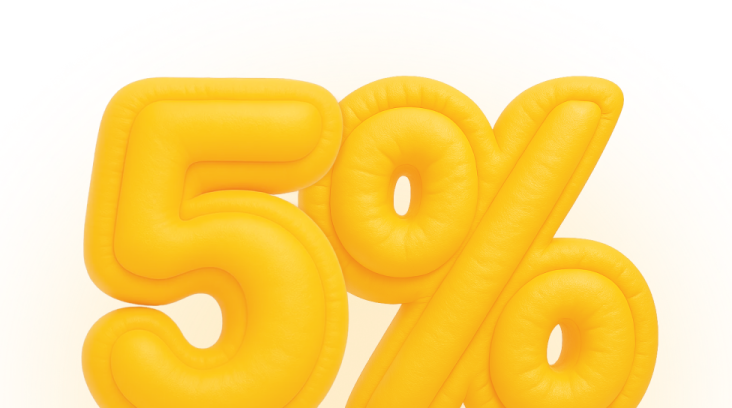
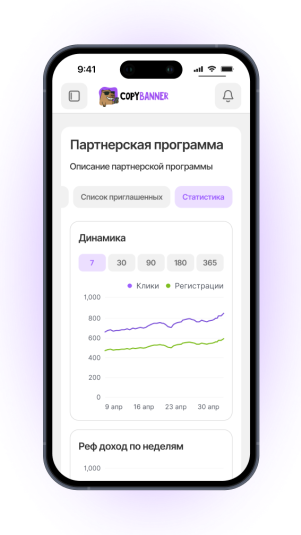
If someone registers and starts advertising, you get up to 5% of their advertising costs

Bonuses are awarded weekly, automatically